Sun-Panel 是一款轻量级、可视化的 Docker 容器管理面板,支持容器监控、可以使用nas运行自己的导航网站
安装 Docker你使用的系统是什么
1️⃣ Ubuntu / Debian
# 更新包索引
sudo apt update

# 安装必要工具
sudo apt install -y ca-certificates curl gnupg lsb-release

# 添加 Docker 官方 GPG key
sudo mkdir -p /etc/apt/keyrings
curl -fsSL https://download.docker.com/linux/ubuntu/gpg | sudo gpg --dearmor -o /etc/apt/keyrings/docker.gpg

# 设置官方仓库
echo \
  "deb [arch=$(dpkg --print-architecture) signed-by=/etc/apt/keyrings/docker.gpg] \
  https://download.docker.com/linux/ubuntu \
  $(lsb_release -cs) stable" | sudo tee /etc/apt/sources.list.d/docker.list > /dev/null

# 更新索引
sudo apt update

# 安装 Docker Engine + CLI + containerd
sudo apt install -y docker-ce docker-ce-cli containerd.io docker-buildx-plugin docker-compose-plugin
2️⃣ CentOS / RHEL
sudo yum install -y yum-utils
sudo yum-config-manager --add-repo https://download.docker.com/linux/centos/docker-ce.repo
sudo yum install -y docker-ce docker-ce-cli containerd.io docker-buildx-plugin docker-compose-plugin
启动并开机自启
sudo systemctl start docker
sudo systemctl enable docker
检查状态
sudo systemctl status docker
创建宿主机目录:
mkdir -p /home/docker/sun-panel
运行容器:
docker run -d \
  --name sun-panel \
  --restart=always \
  -p 3002:3002 \
  -v /home/docker/sun-panel:/app/conf \
  -v /var/run/docker.sock:/var/run/docker.sock \
  hslr/sun-panel:latest
你的ip+端口访问例如
http://1.1.1.1:3002
默认账号: [email protected]
默认密码: 12345678
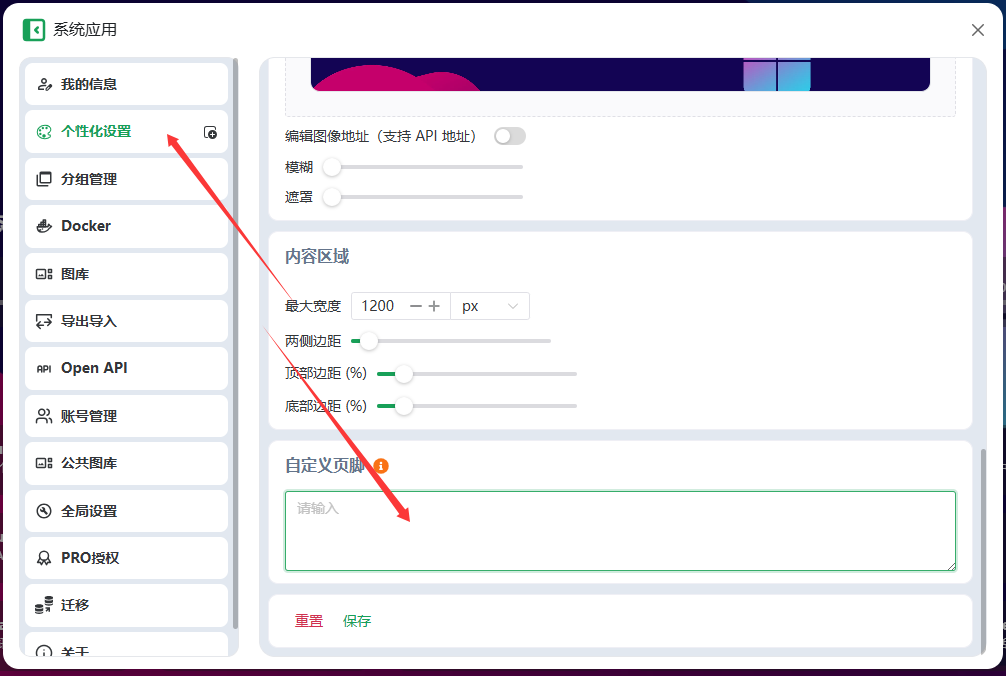
在左侧添加导航分组
<script>
(function() {
  const scrollOffset = 80;
  const tocDomId = 'sun-panel-toc-dom';
  const mobileWidth = 800;
  const highlightColor = '#007aff';

  // 删除旧 TOC
  const oldToc = document.getElementById(tocDomId);
  if (oldToc) oldToc.remove();

  // 创建 TOC 容器
  const tocDom = document.createElement('div');
  tocDom.id = tocDomId;

  // 核心样式:修改为全高度排列
  Object.assign(tocDom.style, {
    position: 'fixed',
    top: '0',
    left: '0',
    width: '200px',
    height: '100vh',           // 撑满全高
    background: 'rgba(20, 20, 20, 0.4)', // 更加透明
    backdropFilter: 'blur(20px)',       // 增强模糊感
    webkitBackdropFilter: 'blur(20px)',
    color: '#efeff4',
    padding: '100px 12px 40px 12px',    // 顶部预留 100px 间距
    fontSize: '13px',
    zIndex: '9999',
    overflowY: 'auto',
    boxShadow: '1px 0 10px rgba(0,0,0,0.1)',
    transition: 'transform 0.4s cubic-bezier(0.16, 1, 0.3, 1)',
    boxSizing: 'border-box',
    borderRight: '1px solid rgba(255,255,255,0.08)'
  });

  const styleSheet = document.createElement("style");
  styleSheet.innerText = `
    #${tocDomId}::-webkit-scrollbar { width: 3px; }
    #${tocDomId}::-webkit-scrollbar-thumb { background: rgba(255,255,255,0.1); border-radius: 10px; }
    #${tocDomId} .toc-item {
      position: relative;
      margin-bottom: 6px;
      padding: 10px 14px;
      border-radius: 8px;
      cursor: pointer;
      transition: all 0.2s ease;
      white-space: nowrap;
      overflow: hidden;
      text-overflow: ellipsis;
      opacity: 0.8;
    }
    #${tocDomId} .toc-item:hover {
      background: rgba(255,255,255,0.05);
      opacity: 1;
    }
    #${tocDomId} .toc-item.active {
      background: rgba(255, 255, 255, 0.1);
      color: #fff;
      font-weight: 600;
      opacity: 1;
      box-shadow: 0 4px 12px rgba(0,0,0,0.1);
    }
    #${tocDomId} .toc-item.active::before {
      content: "";
      position: absolute;
      left: 0;
      top: 20%;
      height: 60%;
      width: 4px;
      background: ${highlightColor};
      border-radius: 0 4px 4px 0;
    }
  `;
  document.head.appendChild(styleSheet);
  document.body.appendChild(tocDom);

  function isMobile() { return window.innerWidth < mobileWidth; }

  function updateTOCVisibility() {
    if (isMobile()) {
      tocDom.style.transform = 'translateX(-100%)';
    } else {
      tocDom.style.transform = 'translateX(0)';
    }
  }

  window.addEventListener('resize', updateTOCVisibility);
  updateTOCVisibility();

  function buildTOC() {
    const groups = document.querySelectorAll('[class*="item-group-index-"]');
    if (!groups.length) return false;

    tocDom.innerHTML = '';

    // 顶部装饰标题
    const navTitle = document.createElement('div');
    navTitle.textContent = 'NAVIGATION';
    navTitle.style.cssText = 'font-size:10px; font-weight:700; color:rgba(255,255,255,0.3); letter-spacing:1.5px; margin-bottom:15px; padding-left:14px;';
    tocDom.appendChild(navTitle);

    groups.forEach((group, index) => {
      const titleElement = group.querySelector('.group-title');
      const titleText = titleElement ? titleElement.textContent.trim() : 'Group ' + (index + 1);

      const item = document.createElement('div');
      item.className = 'toc-item';
      item.textContent = titleText;

      item.addEventListener('click', () => {
        const scrollContainer = document.querySelector('.scroll-container') || window;
        const top = group.offsetTop - scrollOffset;
        (scrollContainer === window ? window : scrollContainer).scrollTo({ top, behavior: 'smooth' });
        if (isMobile()) tocDom.style.transform = 'translateX(-100%)';
      });

      tocDom.appendChild(item);
    });

    const handleScroll = () => {
      const scrollTop = window.scrollY || document.documentElement.scrollTop;
      const items = tocDom.querySelectorAll('.toc-item');
      groups.forEach((group, index) => {
        const groupTop = group.offsetTop - scrollOffset - 20;
        const nextTop = (index < groups.length - 1) ? groups[index + 1].offsetTop - scrollOffset - 20 : Infinity;

        if (scrollTop >= groupTop && scrollTop < nextTop) {
          items[index]?.classList.add('active');
        } else {
          items[index]?.classList.remove('active');
        }
      });
    };

    window.addEventListener('scroll', handleScroll);
    handleScroll(); // 初始化高亮状态
    return true;
  }

  const observer = new MutationObserver(() => {
    buildTOC();
    addMobileButton();
  });
  const container = document.querySelector('.scroll-container') || document.body;
  observer.observe(container, { childList: true, subtree: true });

  buildTOC();

  // -------------------
  // 手机端按钮
  // -------------------
  let mobileBtn = null;
  function addMobileButton() {
    if (!isMobile() || mobileBtn) return;
    mobileBtn = document.createElement('div');
    mobileBtn.innerHTML = '☰';
    Object.assign(mobileBtn.style, {
      position: 'fixed',
      bottom: '50px',
      right: '10px',
      width: '46px',
      height: '46px',
      background: 'rgba(0,0,0,0.6)',
      backdropFilter: 'blur(10px)',
      color: '#fff',
      display: 'flex',
      alignItems: 'center',
      justifyContent: 'center',
      borderRadius: '50%',
      zIndex: '100000',
      fontSize: '20px',
      boxShadow: '0 4px 15px rgba(0,0,0,0.3)'
    });
    document.body.appendChild(mobileBtn);

    mobileBtn.addEventListener('click', () => {
      const isHidden = tocDom.style.transform.includes('-100%');
      tocDom.style.transform = isHidden ? 'translateX(0)' : 'translateX(-100%)';
    });
  }
})();
</script>