什么是外链什么是内连
外链转内链,通常指将文章中的外部链接,通过 跳转页 / 重定向脚本 / 中转 URL 的方式,先指向本站地址,再由本站跳转到目标网站。
常见形式例如:
原始外链:
https://example.com/page

转内链后:
https://yourdomain.com/go/example
外链转内链对 SEO 的优点
防止权重外流(PageRank 流失)
- 直接外链会把站点权重传递给对方
- 外链转内链后:
- 搜索引擎首先抓取的是你的网站
- 权重不再直接流向外站
对新站、内容站尤为重要
第一种方法
纯代码实现
在functions.php添加代码
注意更新主题失效,仅对本主题有效切换主题无效,或者在另一个主题添加
add_filter('the_content','baezone_the_go_url',999);
function baezone_the_go_url($content){
preg_match_all('/href="(.*?)"/',$content,$matches);
if($matches){
foreach($matches[1] as $val){
if( strpos($val,home_url())===false ) $content=str_replace("href=\"$val\"", "href=\"" . get_bloginfo('wpurl'). "/go?url=" .base64_encode($val). "\"",$content);
}
}
return $content;
}
把上面内容第三行
替换为
(.*?)
网站根目录下新建个名为 go 的文件夹(WordPress根目录),在其中添加文件名称index.php ,内容如下:
<?php
$url = $_GET['url'] ?? '';
$url = base64_decode($url);
$safe_url = htmlspecialchars($url, ENT_QUOTES, 'UTF-8'); // 安全输出
?>
<html>
<head>
<meta charset="utf-8">
<meta name="robots" content="noindex, nofollow">
<title>正在为您跳转……</title>
<style>
body{background:#F0F4F9;color:#BBB;font-family:Arial;text-align:center;padding-top:40vh;}
.spinner-wrapper{display:inline-block}
.spinner-text{display:block;margin-bottom:10px;font-size:14px;font-weight:700}
.spinner{width:50px;height:50px;border:5px solid rgba(100,100,100,0.2);border-left-color:transparent;border-radius:50%;margin:0 auto;animation:spin 1.5s linear infinite;}
@keyframes spin{0%{transform:rotate(0deg)}100%{transform:rotate(360deg)}}
</style>
<script>
// 自动新窗口跳转
window.onload = function(){
    var url = "<?php echo $safe_url; ?>";
    // 新窗口打开
    var win = window.open(url, "_blank", "noopener,noreferrer");
    // 如果浏览器阻止弹窗,使用 location 跳转作为 fallback
    if(!win){
        window.location.href = url;
    }
};
</script>
</head>
<body>
<div class="spinner-wrapper">
    <span class="spinner-text">正在跳转,请稍候...</span>
    <div class="spinner"></div>
</div>
</body>
</html>
最后在robots.txt文件中添加代码防止搜索引擎索引
如果没有新建一个内容如下:
User-agent: *
Disallow: /go/
Disallow: /wp-admin/
Allow: /wp-admin/admin-ajax.php

Sitemap: https://www.linnotes.com/sitemap.xml
这样在文章内添加的文件就会自动转换为内链防止外链过多
或者使用外链确认
<?php
if (isset($_GET['url'])) {
    $encoded_url = $_GET['url'];
    $url = base64_decode($encoded_url);

    if (filter_var($url, FILTER_VALIDATE_URL)) {
        // 截取并格式化链接,显示50个字符
        $short_url = (strlen($url) > 50) ? substr($url, 0, 50) . '...' : $url;

        echo "
        <html>
        <head>
            <meta charset='utf-8' />
            <title>跳转提醒</title>
            <style>
                body {
                    display: flex;
                    justify-content: center;
                    align-items: flex-start;
                    height: 100vh;
                    margin: 0;
                    background-color: #F0F8FF;
                }
                .confirmation-box {
                    background-color: white;
                    color: black;
                    padding: 40px 30px;
                    border-radius: 30px;
                    position: relative;
                    width: 600px;
                    margin-top: 200px; /* 与顶部的距离 */
                    box-shadow: 0 4px 8px rgba(0, 0, 0, 0.2);
                }
                .custom-text {
                    font-size: 18px;
                    font-weight: bold;
                    color: #333;
                    text-align: left; /* 确保文本靠左 */
                    margin: 0; /* 确保无外边距 */
                    padding: 0; /* 确保无内边距 */
                }
                .link-display {
                    text-align: left; /* 链接内容靠左 */
                    margin: 10px 10; /* 添加上下间距 */
                    font-size: 16px;
                    color: black;
                }
                .link-display a {
                    display: inline-block;
                    overflow: hidden;
                    white-space: nowrap;
                    text-overflow: ellipsis;
                }
                button {
                    background-color: #007bff;
                    color: white;
                    border: none;
                    padding: 10px 15px;
                    border-radius: 20px;
                    cursor: pointer;
                    position: absolute;
                    bottom: 10px;
                    right: 10px;
                }
                button:hover {
                    background-color: #0056b3;
                }
            </style>
        </head>
        <body>
            <div class='confirmation-box'>
                <div class='custom-text'>

                    请确认您将跳转到以下链接:
                </div>
                <div class='link-display'>
                    <a href='$url' target='_blank'>$short_url</a>
                </div>
                <button onclick=\"window.location.href='$url';\">确认跳转</button>
            </div>
        </body>
        </html>
        ";
        exit;
    } else {
        echo "<html><head><meta charset='utf-8'><title>无效的链接</title></head><body><h1>无效的链接,请检查后重试。</h1></body></html>";
        exit;
    }
} else {
    echo "<html><head><meta charset='utf-8'><title>错误</title></head><body><h1>未提供跳转链接。</h1></body></html>";
    exit;
}
?>
隐藏链接方法
<?php
$url = $_GET['url'] ?? '';
$url = base64_decode($url);
$safe_url = htmlspecialchars($url, ENT_QUOTES, 'UTF-8'); // 安全输出
?>
<html>
<head>
<meta charset="utf-8">
<meta name="robots" content="noindex, nofollow">
<title>正在为您跳转……</title>
<style>
body{
    background:#F0F4F9;
    color:#333;
    font-family:Arial;
    text-align:center;
    display:flex;
    flex-direction:column;
    justify-content:center;
    align-items:center;
    height:100vh;
    margin:0;
}
.spinner-wrapper{margin-top:20px;}
.spinner-text{display:block;margin-bottom:10px;font-size:14px;font-weight:700}
.spinner{width:50px;height:50px;border:5px solid rgba(100,100,100,0.2);border-left-color:transparent;border-radius:50%;margin:0 auto;animation:spin 1.5s linear infinite;}
@keyframes spin{0%{transform:rotate(0deg)}100%{transform:rotate(360deg)}}
.button-group{margin-top:20px;}
.button-group button{
    margin:0 10px;
    padding:8px 16px;
    font-size:14px;
    border:none;
    border-radius:4px;
    cursor:pointer;
}
.cancel-btn{background:#ccc;color:#333;}
.confirm-btn{background:#4CAF50;color:#fff;}
</style>
<script>
function confirmAccess() {
    var url = "<?php echo $safe_url; ?>";
    // 直接在当前页面跳转
    window.location.href = url;
}
function cancelAccess() {
    // 直接关闭当前页面
    window.close();
}
</script>
</head>
<body>
<p>你正在访问外部链接</p>

<div class="spinner-wrapper">
    <span class="spinner-text">请稍候...</span>
    <div class="spinner"></div>
</div>

<div class="button-group">
    <button class="cancel-btn" onclick="cancelAccess()">取消</button>
    <button class="confirm-btn" onclick="confirmAccess()">确认访问</button>
</div>

</body>
</html>
第二种
直接安装插件
External Links
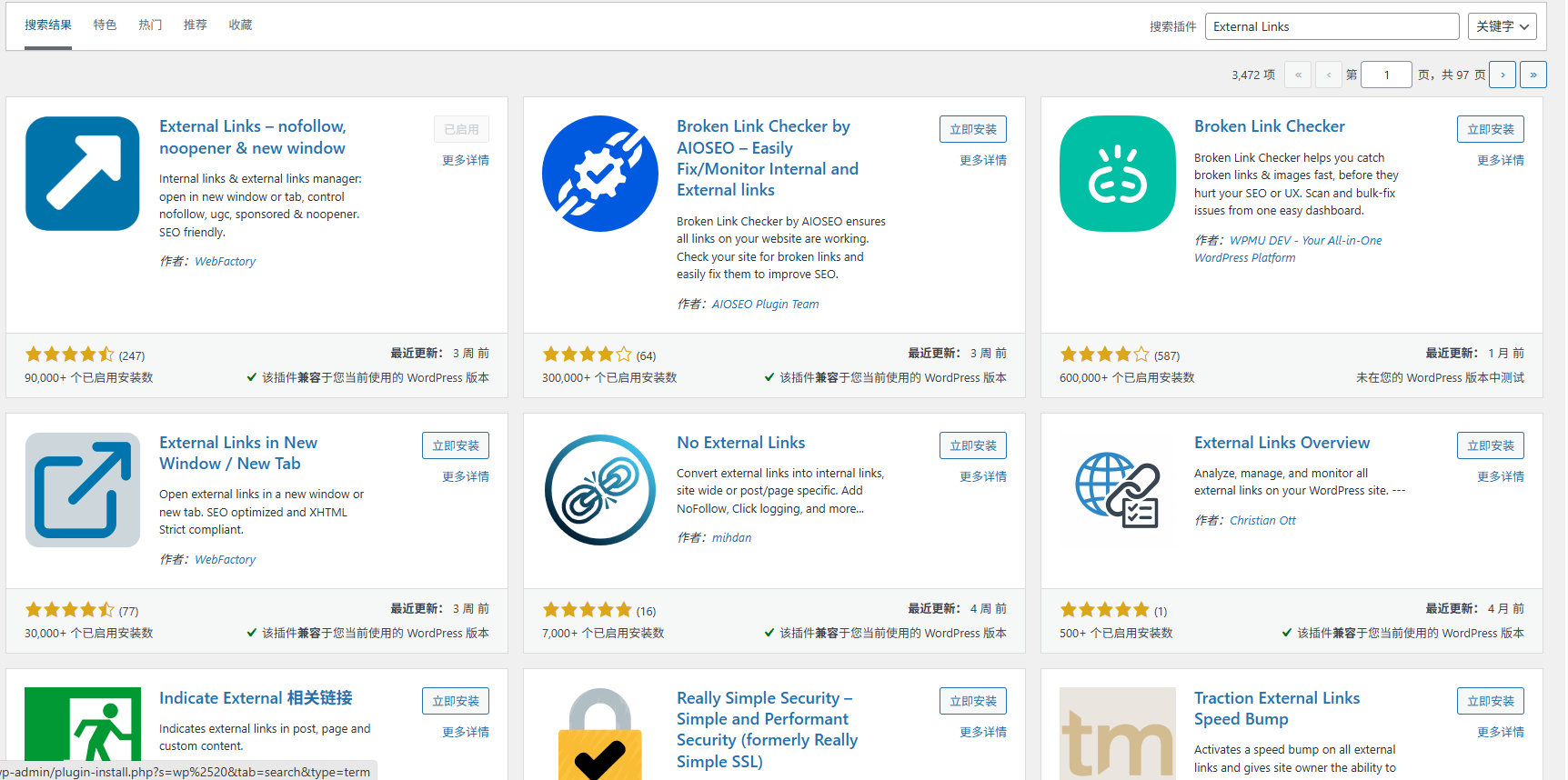
自行在启用自行在后台设置
第三种
名称:
Smart SEO Tool-WordPress SEO优化插件
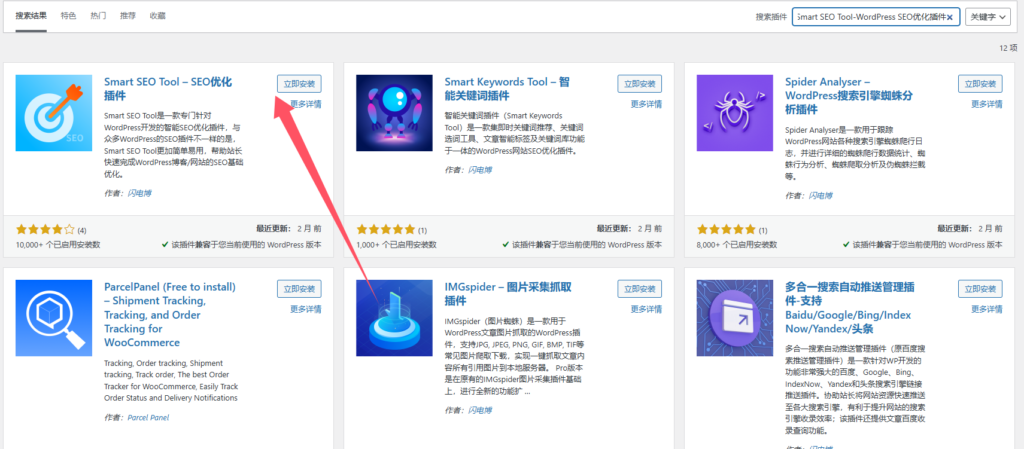
其他的自行搜索添加使用